See where your time really goes, and give your AI Agents real data to work with
Timemaxx alerts you automatically throughout your day so you don’t need to remember, and your AI tools will give you accurate feedback based on your time use.


3-day free trial. Monthly and annual plans.
Desktop app on the way
How it works
Timemaxx prompts you to log your time and persistent notifications make sure every minute is logged accurately, so eventually you don’t need to rely on timers and schedules to stay focused and on task.
- Pick an interval that suits how you work — 15, 30, 60 or 90 minutes, or anything from 5 to 240
- Set the hours you’re actually up and working, so alerts only arrive in that window
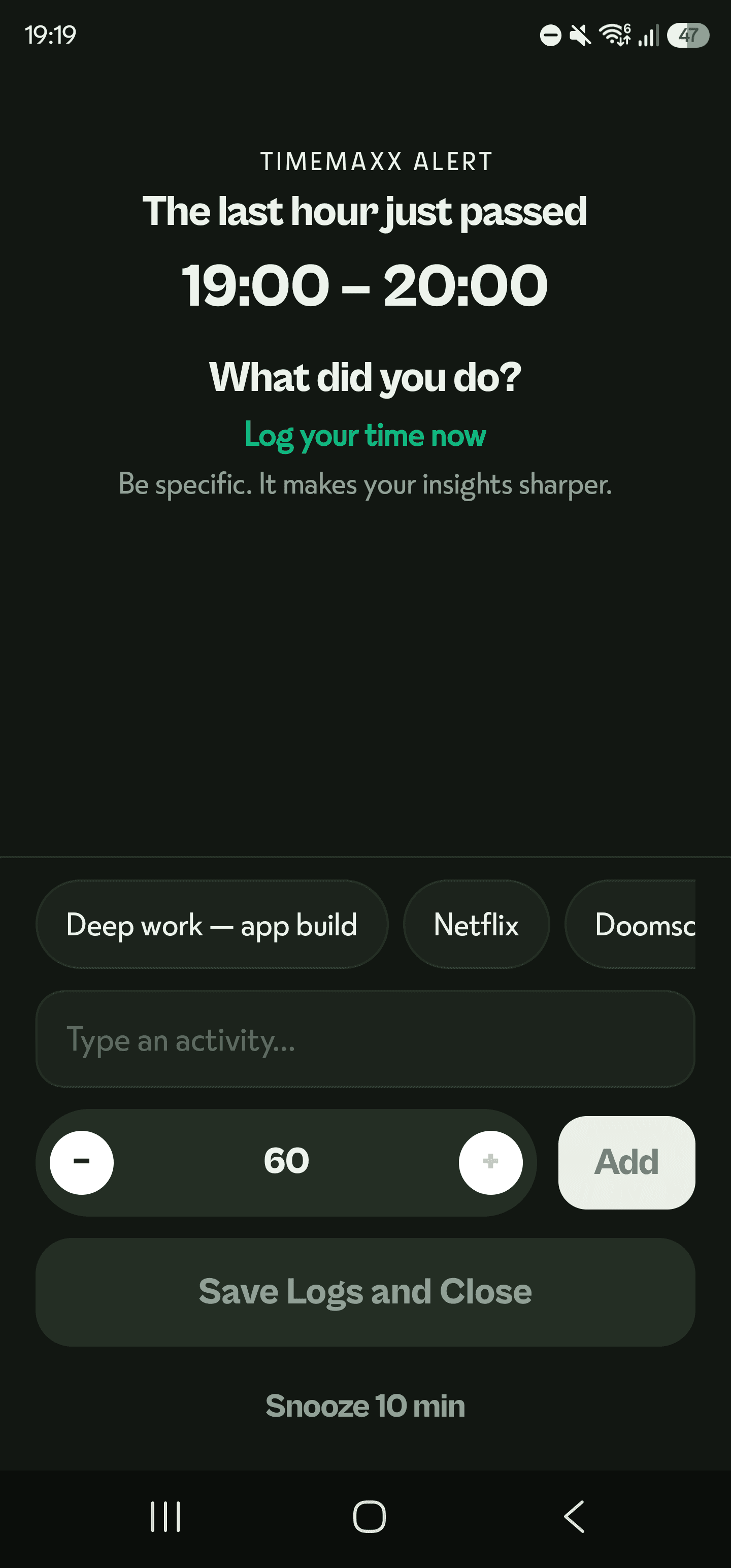
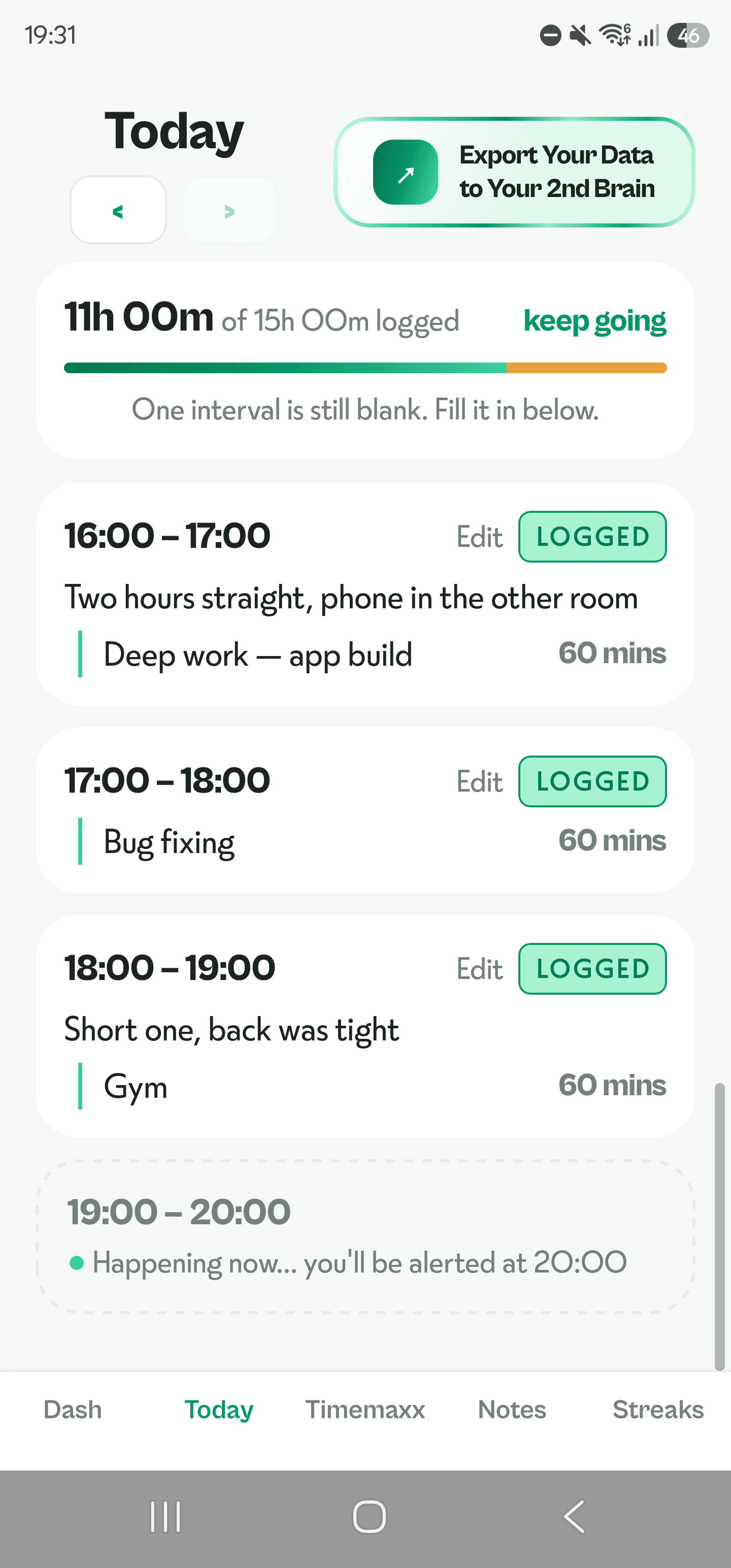
- At the end of each interval Timemaxx alerts you and asks what you did for the whole interval
- In just a few minutes you can log your time by typing what you did or choosing a past saved activity
- Miss one and the day stays open until midnight, so you can fill the gaps later

Connect Timemaxx to your external tools and agents
Your Timemaxx data inside your 2nd brain
- Connect Timemaxx to Claude, ChatGPT, or any AI tool that accepts connectors. Ask anything about your time use, and get accurate feedback and tips about how you manage your time
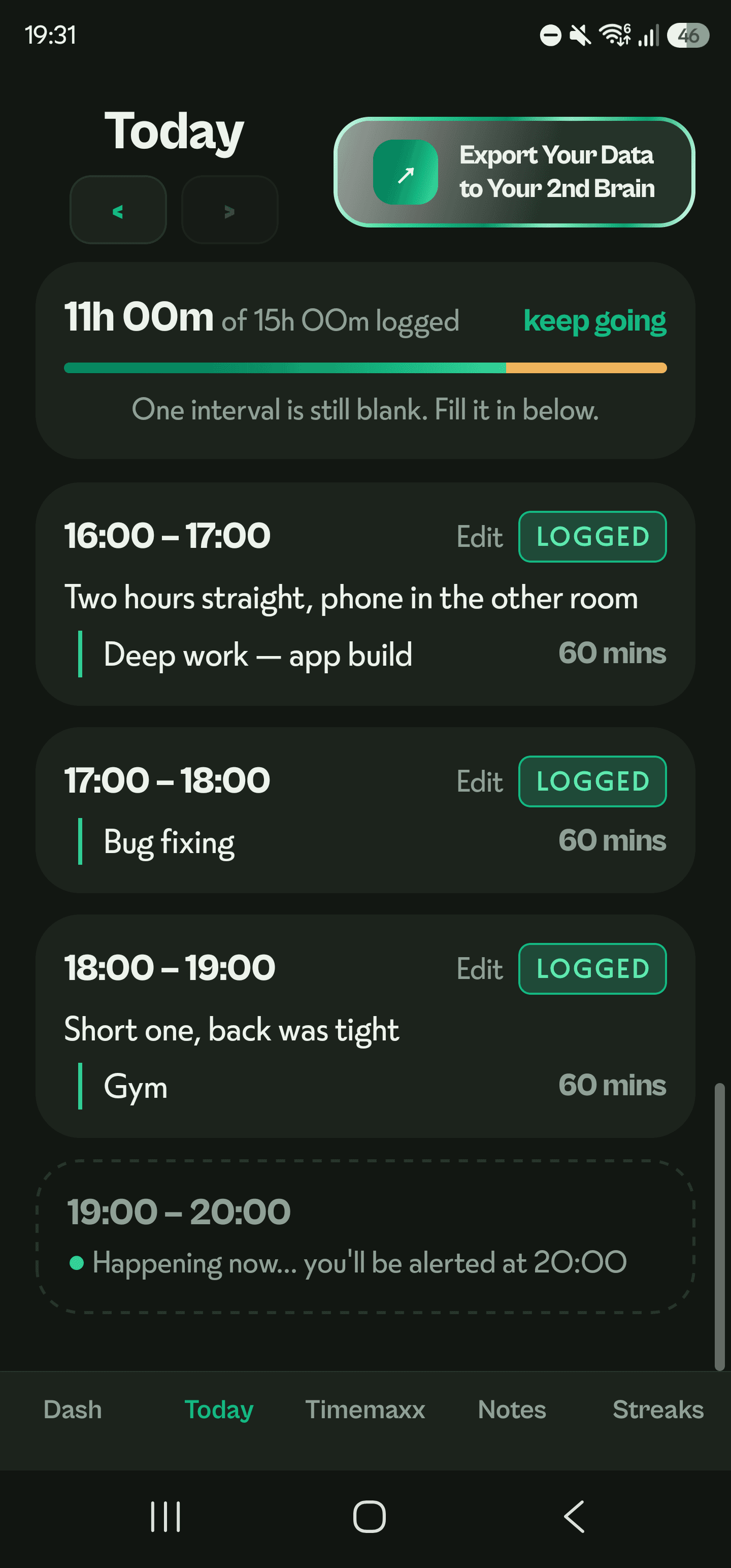
- Export any day as Markdown and drop it straight into Obsidian, Notion, or whichever second brain you keep
- Or ask Timemaxx itself without leaving the app, and it’ll show you which logs it pulled the answer from
If you already have much of your data and productivity connected to an AI Assistant, Timemaxx allows you to seamlessly add your time use to the assistant and increase your productivity with accurate insights.
What it can see
- Shared:Your logged intervals, summaries, streak and alert settings
- Shared:Your notes - if you choose to connect these as well
- Not shared:Your private chat with Timemaxx - never shared
- Not shared:Changing anything - read-only, always
What you get
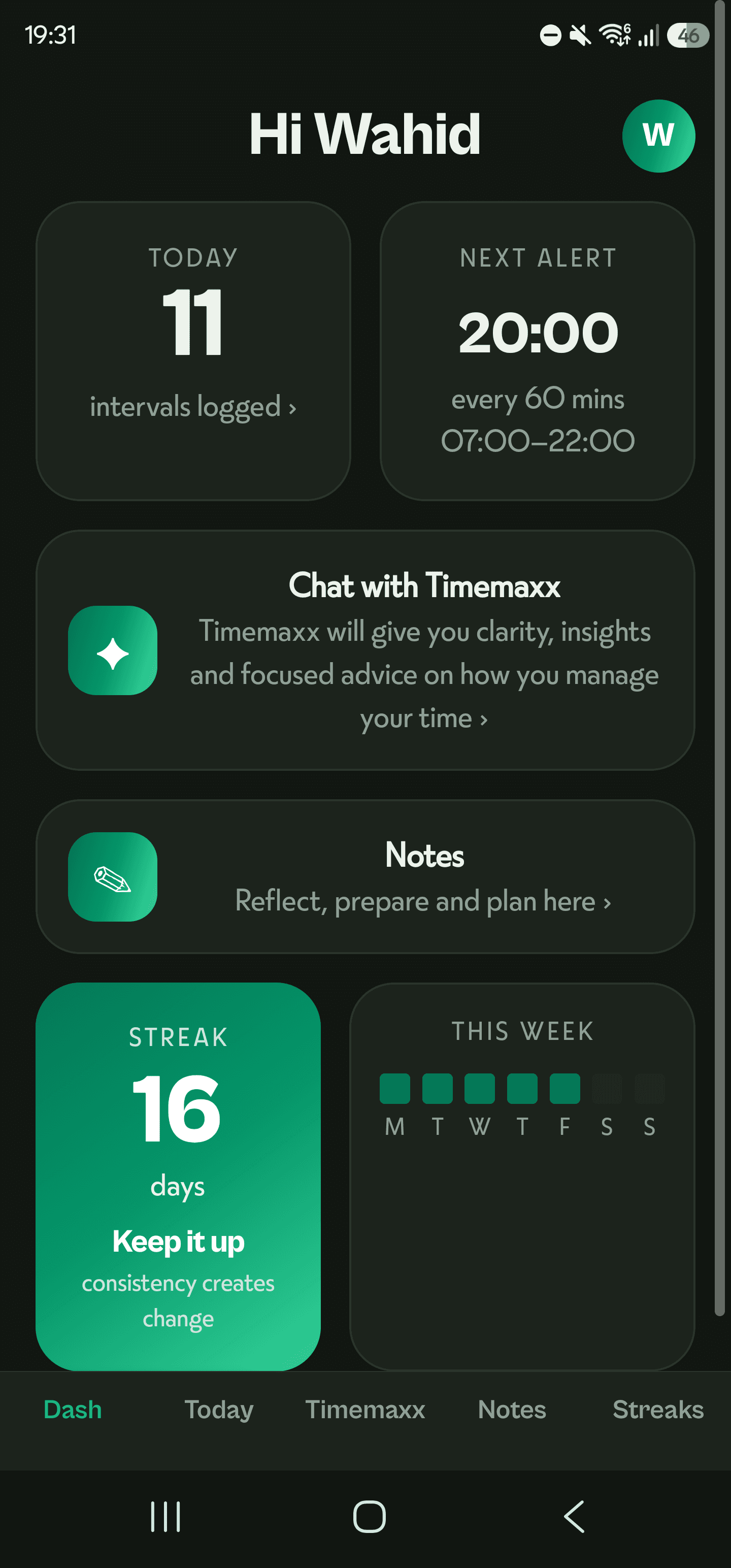
- A dashboard showing today’s progress, your current streak and your week at a glance
- Today, your daily time audit — where the hours went, with two weeks of history and yesterday still open to correct
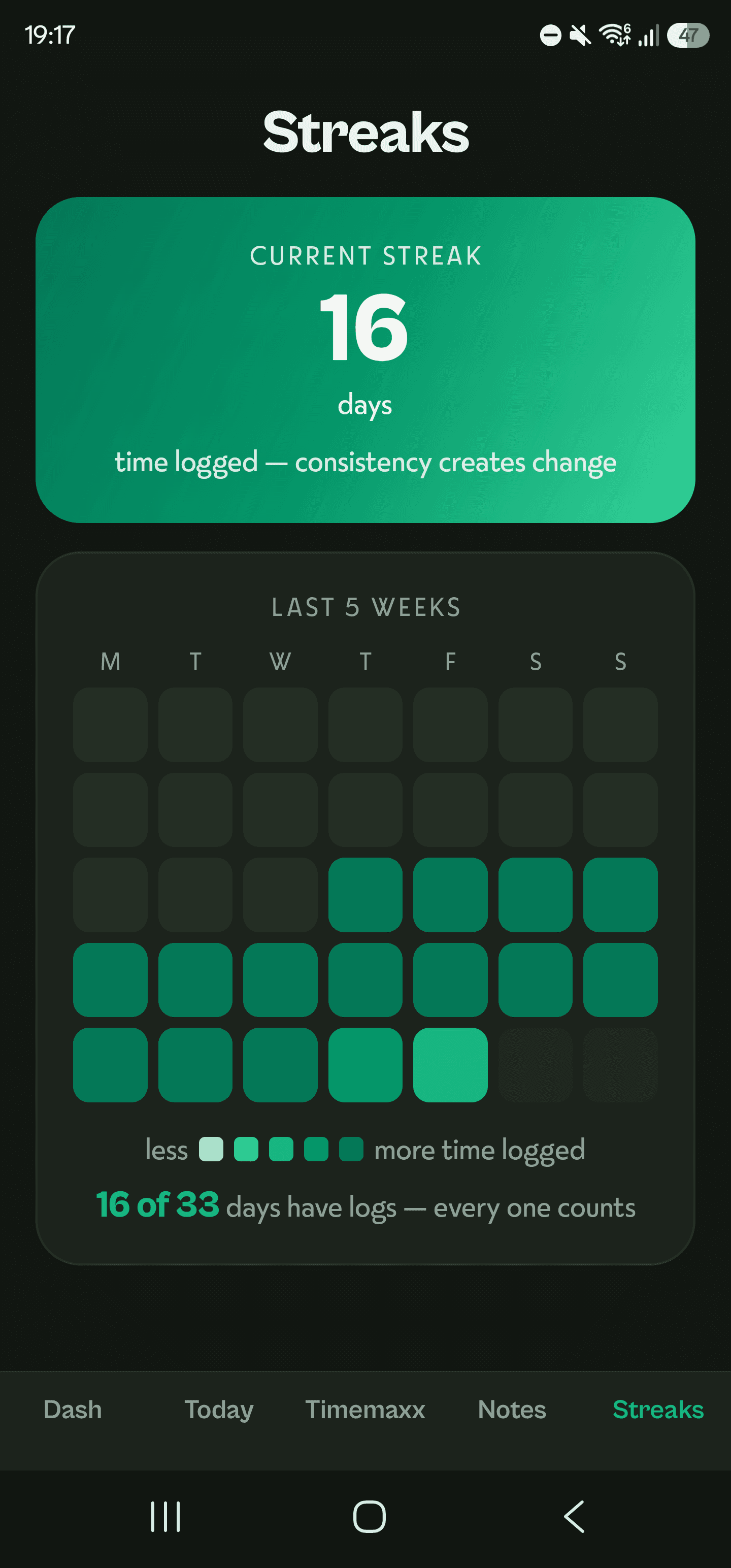
- Streaks, counting consecutive logged days, with a week-by-week grid of everything you’ve logged
- A chat you can ask in plain language, answering only from your own logs
- Notes, for your own running notes or a line saved straight out of the chat
- Alerts you stay in control of — Gentle, Standard or Persistent, snooze at 5, 10 or 15 minutes or off entirely, and one switch to stop them altogether
- Light and dark themes that follow your system, or pick whichever you prefer
Pricing
$9.99/month · $59.99/year
3-day free trial. Monthly and annual plans.
Your first 3 days are free on either.
Questions
Why intervals instead of a timer?
The difference between a to-do list and an interval time tracker is that one tells you what you’re meant to do and the other tells you what actually happened, giving you active feedback on how you naturally work so you can make adjustments in real time.
Logging in short regular intervals means you never end up sitting there at the end of the day trying to reconstruct the whole thing out of memory, and have the data there to hand. You answer one small question a handful of times instead, and by Friday you’ve got a time audit you never had to sit down and write.
What can a connected AI see?
Your logged intervals, summaries, streak and alert settings. Your notes - if you choose to connect these as well. Never your private chat with Timemaxx. And it can’t change anything - read-only, always.
Is my data mine?
Your time log is yours. Export it whenever you want, connect it to whatever tools you choose, and if you’re ever done with it, delete your account and everything in it from inside the app.
Who is it for?
Timemaxx is for anyone who can feel their time getting away from them but has no idea where to start with tracking it. If your hours vanish and you couldn’t say where they went, this gives you what a planner never will, which is a record of what actually happened, in your own words.